Bridge Compass offers the possibility to connect to another bridge database. You may ask yourself: do I need this? Simple answer is: No. It depends on your wishes.
- You want to look at a backup before restoring it.
- You don't like the location of the default database and want to have it somewhere else.
- You may want to store all your practice deals in a different database because you use them for your work.
- A friend sends you a database with some interesting stuff.
- You have multiple partners and want to have different libraries or keep the boards you played separately.
If you have another database connected, the name is in the title of the window. On the database menu the option 'Reconnect Bridge Compass database' will be enabled and that is the way to switch back. if you want to reconnect your last used database at startup you can set this on the option screen.
Besides connecting to a database, you can create a Bridge Compass database.
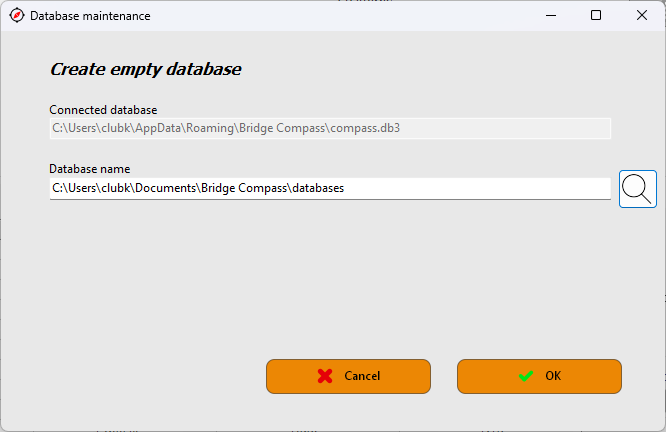
The database folder is already shown. You add a name with or without the extension 'db3'. The default database folder is set on the option screen. As you can see it is a subfolder of Bridge Compass which is in the 'your Documents' folder. By clicking the OK-button the database will be created and gets the same internal structure as any Bridge Compass database.
After you have created a new database you are not connected to it yet.